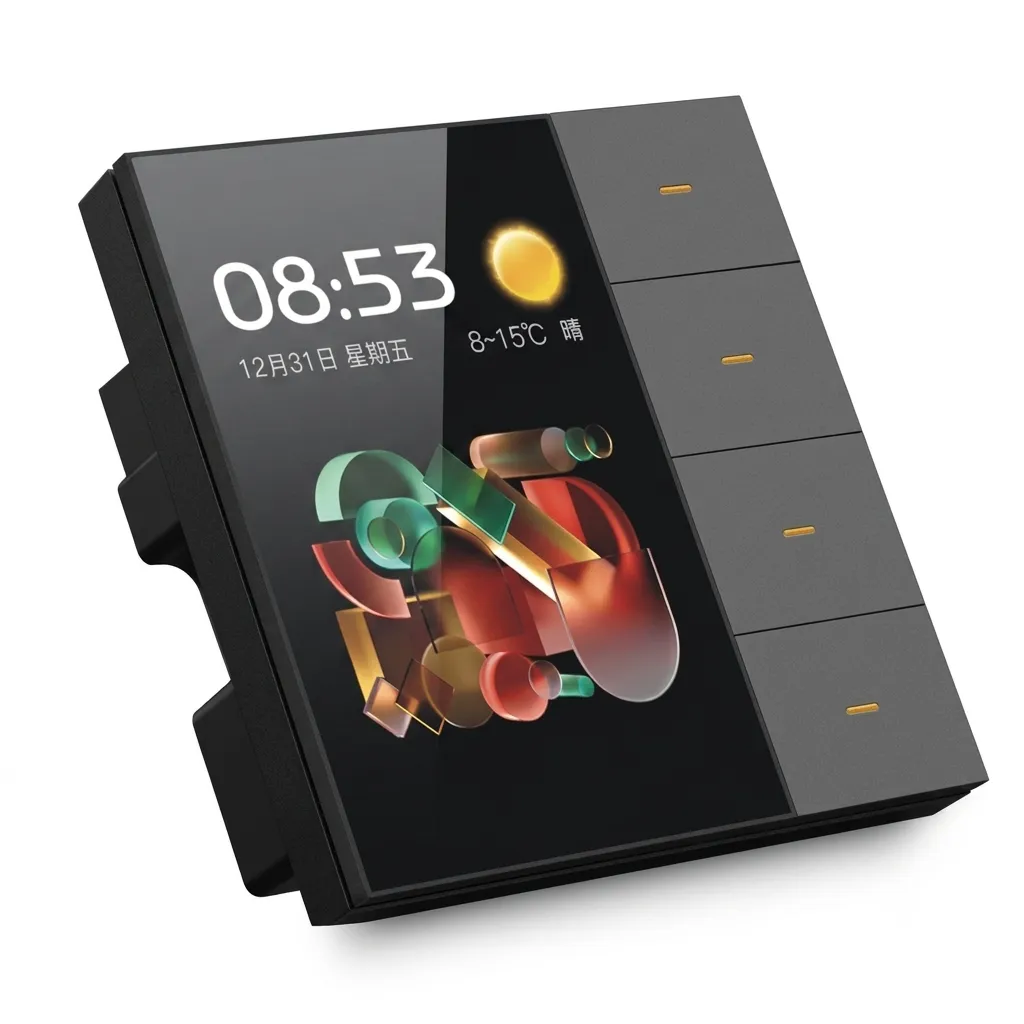
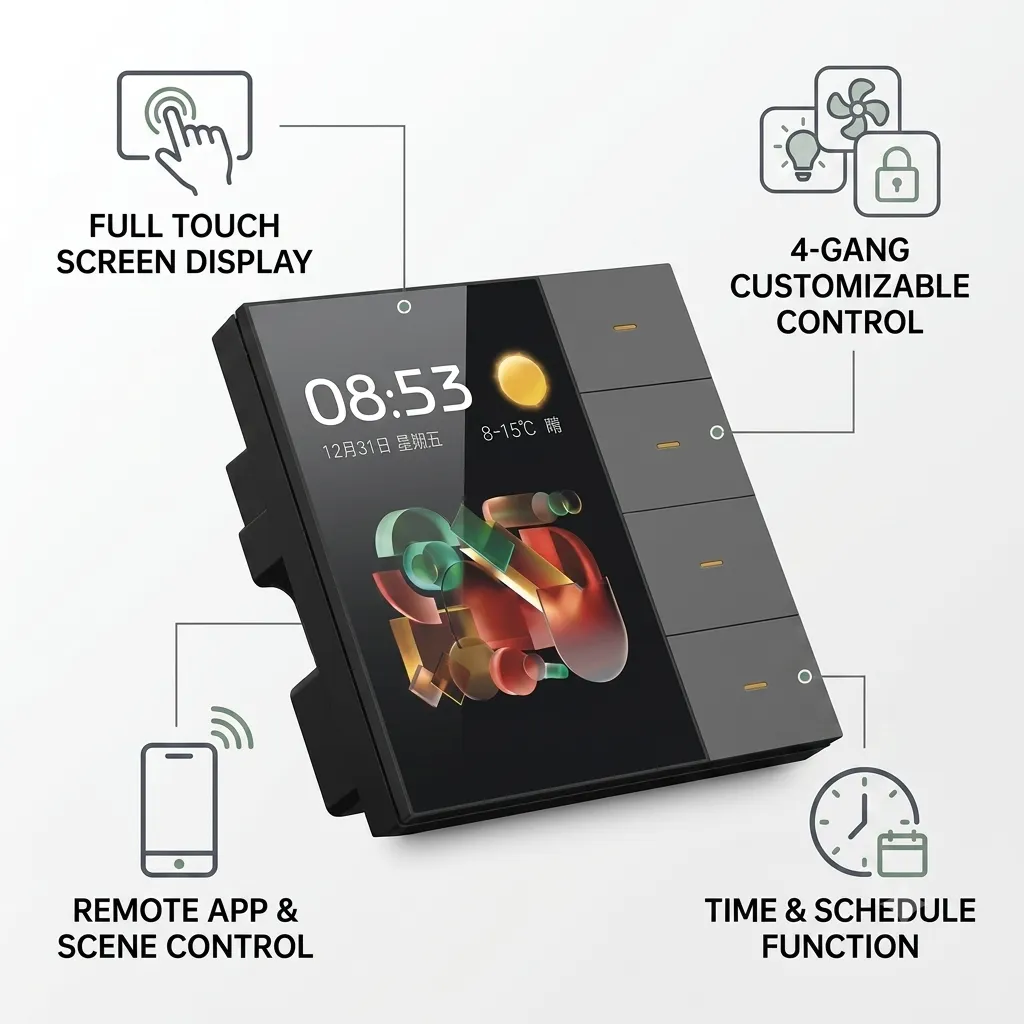

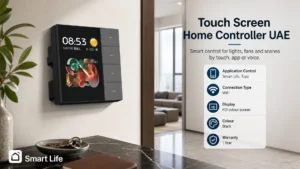
Smart Life Tuya Touch Screen Home Controller with HD display for controlling lights, fans, and smart home scenes via touch, app, or voice.
Touch Screen Home Controller UAE: 4 Gang WiFi Switch with Scene Panel
The touch screen home controller UAE is a smart hybrid switch panel that controls 4 separate circuits through both physical buttons and an on-screen touchscreen menu. Install it where you need to manage multiple devices (lights, fans, AC units) from one wall location, with the flexibility to use manual buttons during power outages and smart scheduling via the app during normal operation.
Why a 4 Gang Touch Screen Controller Works in UAE Homes
Standard 4-gang switches give you four separate buttons with no feedback or scheduling. This smart controller combines the familiarity of physical switches with a small LCD screen that displays scene controls, energy status, and live feedback. It’s particularly useful in main hallways, master bedrooms, and living rooms where you want to turn off all lights at once or activate an “away” scene that secures doors and lowers ACs. The touchscreen also shows which circuits are currently active, preventing confusion when guests visit.
Key Features and Benefits
- 4 physical toggle buttons for manual control of lights, fans, or AC circuits (works without WiFi)
- Built-in LCD display showing active circuits and available smart scenes
- WiFi 2.4GHz connectivity for app-based remote control and scheduling
- Pre-configured scenes: “All Lights Off”, “Movie Mode” (lights dim, AC to 21C), “Goodnight” (doors locked, AC reduced)
- Voice control through Amazon Alexa and Google Assistant
- Compact design fits standard 4-gang wall boxes used across UAE apartments and villas
- Smart Life app integration for advanced scheduling and automation routines
Specifications
| Specification | Detail |
|---|---|
| Brand | Smart Life (Tuya Official Store) |
| Number of Gangs | 4 circuits |
| Display | LCD touchscreen (HD color) |
| Connectivity | WiFi 2.4GHz |
| Power Input | AC 220-240V, 50/60Hz (UAE standard) |
| Max Load Per Circuit | 10A (2200W) |
| Control Methods | Physical buttons, touchscreen, WiFi app, voice command |
| Voice Assistants | Amazon Alexa, Google Assistant |
| Dimensions | 3 x 3 x 2 cm (compact) |
| Installation | Standard 4-gang wall box (86mm) |
| Warranty | 1 Year (Omni Smart) |
Works With Your Smart Home
| Ecosystem | Supported |
|---|---|
| Amazon Alexa | Yes |
| Google Home / Nest | Yes |
| Apple HomeKit / Siri | Yes (via Home Assistant) |
| Samsung SmartThings | Yes |
| Smart Life / Tuya | Yes (native) |
| Home Assistant | Yes |
Where This Touch Screen Home Controller Works Best
- Master bedroom entry: control bedroom lights, ceiling fan, and AC from one central location
- Living room hallway: manage main room lights, dining fan, and AV equipment with scene buttons
- Home office: activate “work mode” (bright lights, AC 22C) or “focus” (dim lights, notifications silent) with one tap
- Luxury villa foyers: impress guests with a single “Goodnight” scene that secures the house
- Secondary control point in homes with large smart home systems (bedroom copy of hallway controls)
Installation and Setup
- Turn off power at the circuit breaker for all 4 circuits you intend to control
- Remove the existing 4-gang switch from the wall box (typically one live wire and multiple switch wires)
- Connect the smart controller’s live (brown), neutral (blue), and earth (green/yellow) wires to the box terminals
- Connect each of the 4 circuit switch wires to the corresponding input terminal on the controller (L1, L2, L3, L4)
- Verify all wires are securely crimped or screwed (loose connections cause faults)
- Carefully mount the controller into the wall box and secure with provided screws
- Restore power and look for the LED indicator (should blink amber, then turn green when fully booted)
- Download the Tuya Smart Life app and scan the QR code on the back of the controller
- Select your home WiFi (2.4GHz only) and let the device join your network
- Test each of the 4 circuits by tapping buttons in the app or on the touchscreen
- In the app, create scenes for common use cases (e.g. “Movie” = lights off, fan low, AC 21C)
- Link your Amazon Alexa or Google Home account for voice control of scenes
Installation requires electrical experience or a licensed technician. Our UAE team can handle full setup, wiring verification, and scene customization. Learn about our installation service or request a free site survey.
Frequently Asked Questions
What if I want to keep some circuits manual and others automated?
You can configure each of the 4 circuits independently. Some can be set to always respond to manual button presses only, while others are automated via scenes and scheduling. Contact our support team to customize the setup for your specific needs.
Does the touchscreen work in direct sunlight?
The LCD screen is readable but not ideal in full direct sunlight. Install the controller in a hallway or interior wall rather than near windows. If direct sun is unavoidable, the physical buttons will always work, and you can control circuits via the mobile app instead.
Can I add a second touchscreen controller in another room?
Yes. You can install multiple 4 gang touch screen controllers throughout your home, each managing different circuits. They will all appear in the same Tuya Smart Life app under your home profile, allowing centralized scene control across all controllers.
What happens if the WiFi drops? Will the manual buttons still work?
Yes. The physical buttons will always control the 4 circuits regardless of WiFi status. Scenes and app-based remote control will be unavailable until WiFi is restored, but manual operation is unaffected.
Related Products
- Smart home automation control panel for a larger 4-inch touchscreen command center
- 4 gang smart touch switch for a simpler glass-panel alternative without LCD display
- Smart fan dimmer switch for dedicated fan speed control
- All control panel and switch options
Get Your Free Custom Quote Today
Ready to upgrade your 4-gang switch to smart control with a built-in touchscreen? Our certified installers can assess your wiring, design custom scenes, and ensure proper integration. Request a free site survey and explore our full range of SmartCare support plans.
Specification
 Screen Type Screen Type | HD |
|---|---|
 Connection Type Connection Type | WiFi |
 Number of Gangs Number of Gangs | 4 Gang |
 Panel / Finish Panel / Finish | Tempered Glass |
 Voltage Voltage | 220-240V |
 Power Source Power Source | Mains 220-240V |
 App / Platform App / Platform | Smart Life, Tuya |
 Works With Works With | Amazon Alexa, Apple HomeKit / Siri, Google Home / Nest, Home Assistant, Samsung SmartThings, Smart Life |
| Color | Black |
 Warranty Warranty | 1 Year Warranty |
Related Products
Related Products