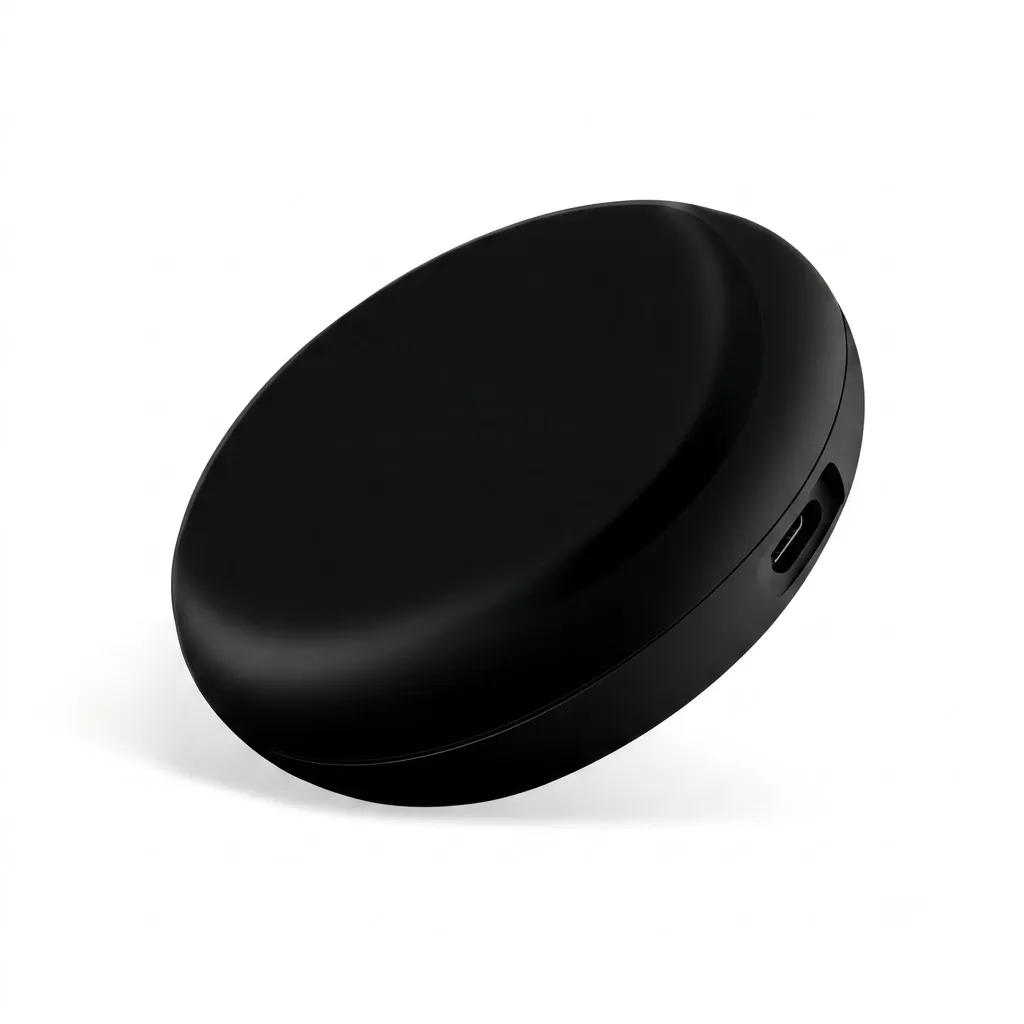
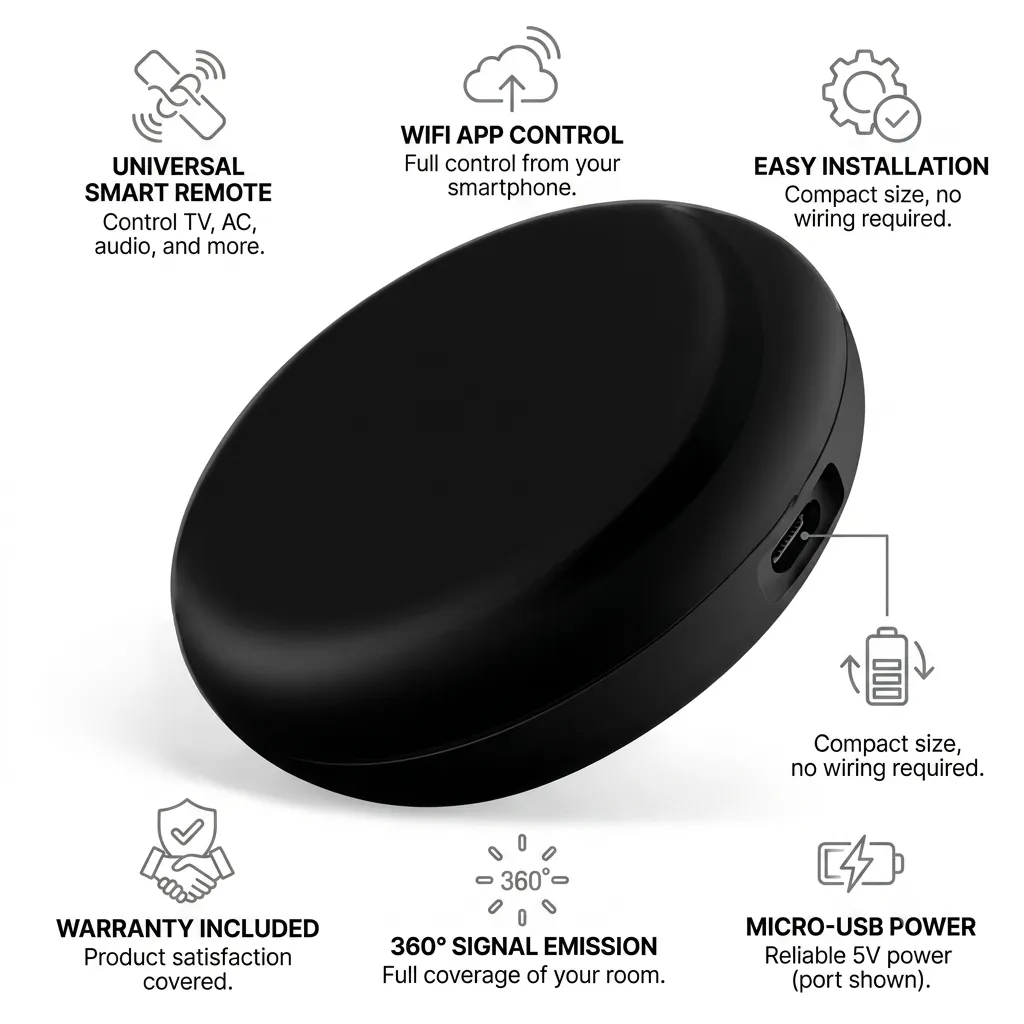

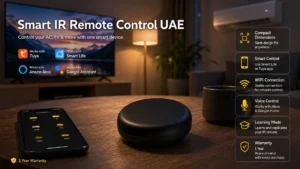
The smart IR remote control UAE is a WiFi-enabled infrared blaster that converts any non-smart appliance into a smart device.
Smart IR Remote Control UAE: WiFi Blaster for AC, TV, Appliances
The smart IR remote control UAE is a WiFi-enabled infrared blaster that converts any non-smart appliance into a smart device. Control your air conditioner, television, fan, and other IR-based appliances from your smartphone, tablet, or voice assistant, eliminating the need to juggle physical remotes and bringing all your devices under one smart home system.
Why a Smart IR Remote Control Matters in UAE Homes
Most UAE homes have window and split-unit air conditioners that are not natively WiFi-enabled. This smart IR remote acts as a universal bridge, allowing you to schedule AC temperature changes, set timers to reduce energy waste, and control the TV or satellite box from bed or while away from home. In the summer heat, you can pre-cool your home 30 minutes before arrival, then gradually increase temperature during work hours to save on DEWA consumption. The learning mode means you’re not limited to brand-specific remotes; any IR appliance can be added.
Key Features and Benefits
- Universal IR compatibility: works with over 90% of air conditioners (Daikin, Gree, Midea, Fujitsu, LG, Samsung), TVs, and satellite receivers
- WiFi 2.4GHz connectivity for app-based remote control from anywhere in the UAE or abroad
- Smart Life app integration: create scenes like “Evening” (AC to 24C, TV to HDMI3, lights dimmed)
- Voice command support: “Alexa, set the AC to 22 degrees” or “Google, turn on the TV”
- Learning mode: hold the original remote near the IR blaster to record custom commands
- Compact black design fits unobtrusively on a shelf or nightstand near appliances
- No hub required: connects directly to your WiFi network
Specifications
| Specification | Detail |
|---|---|
| Brand | Smart Life (Tuya Official Store) |
| Control Type | Universal WiFi IR Blaster |
| Connectivity | WiFi 2.4GHz |
| IR Coverage | Up to 5 meters (line of sight) |
| Compatible Appliances | Air conditioners, TVs, DVDs, set-top boxes, fans, heaters, projectors |
| Control App | Smart Life / Tuya (iOS/Android) |
| Voice Assistants | Amazon Alexa, Google Assistant |
| Learning Mode | Yes (record any IR remote command) |
| Power Input | USB or AC adapter |
| Dimensions | 4 x 4 x 2 cm (compact) |
| Color | Black |
| Warranty | 1 Year (Omni Smart) |
Works With Your Smart Home
| Ecosystem | Supported |
|---|---|
| Amazon Alexa | Yes |
| Google Home / Nest | Yes |
| Apple HomeKit / Siri | Yes (via Home Assistant) |
| Samsung SmartThings | Yes |
| Smart Life / Tuya | Yes (native) |
| Home Assistant | Yes |
Where This Smart IR Remote Control Works Best
- Master bedroom: control the AC, ceiling fan, and TV from bed without moving
- Living room: integrate satellite receiver, projector, and gaming console into one scene
- Home office: automate AC and lighting for focus modes with a single command
- Luxury villa: synchronize ACs across multiple zones and entertainment areas via scenes
- Rental properties: add smart control to existing appliances without rewiring or professional installation
Installation and Setup
- Unbox the IR blaster and identify the power port (USB or AC adapter depending on model)
- Connect the power and place the blaster on a shelf, nightstand, or wall mount near the appliances you want to control
- Ensure the IR sensor on the front of the blaster faces the air conditioner, TV, or target appliance (line of sight required)
- Download the Tuya Smart Life app and create or log into your account
- Tap the + icon in the app and select “IR Blaster” or “Remote Control”
- Scan the QR code on the back of the blaster or enter the code shown in pairing mode
- Select your home WiFi (2.4GHz only) and enter your password
- Wait 15-20 seconds for the blaster to connect (LED will turn solid green)
- The app will prompt you to select the appliance type (AC, TV, Set-top box, etc.)
- Choose the brand of your air conditioner or TV (e.g. Daikin, Gree, Sony, Samsung)
- Test a few commands (turn on/off, temperature adjustment) to verify compatibility
- If your appliance is not in the pre-programmed list, use learning mode: point your original remote at the blaster and press the button you want to record
- Create scenes by bundling commands (e.g. “Goodnight” lowers AC to 24C and turns off TV)
- Link to Alexa or Google Home for voice command integration
Setup typically takes 10-15 minutes. No electrician or technical installation is required. For complex multi-zone AC setups or integration with your broader smart home, contact our support team.
Frequently Asked Questions
Will the smart IR remote work with my Daikin AC?
Yes. Daikin is one of the most common AC brands in UAE and is pre-programmed in the app. If your specific model is not listed, the learning mode will record any command from your original Daikin remote. Simply point the original remote at the IR blaster and press the button you want to teach.
How far can the IR blaster send commands?
The effective range is up to 5 meters with a clear line of sight between the blaster and the appliance. Walls, furniture, or obstacles will reduce range significantly. Position the blaster centrally in the room or aimed at your AC/TV for best performance.
What happens if my WiFi drops? Can I still use the original remote?
Yes. The smart IR blaster only controls devices; it doesn’t replace them. Your original air conditioner remote will always work independently. When WiFi is down, app-based and voice-controlled access to the blaster will not work, but you can revert to manual remote control.
Can I control multiple ACs in different rooms with one blaster?
One IR blaster can control multiple appliances if they are all in the same room with clear line of sight. For multi-zone ACs in separate rooms, you will need one IR blaster per zone. Contact our team to design a multi-zone smart AC control system.
Related Products
- Smart home automation control panel to centralize IR remote and device control on one touchscreen
- 4 gang touch screen controller for integrated AC, lighting, and scene management
- Universal smart plug to schedule AC or entertainment systems
- All smart HVAC and appliance control solutions
Get Your Free Custom Quote Today
Ready to upgrade your air conditioner, TV, and other infrared appliances to smart control? Start with one IR blaster or plan a whole-home multi-zone system with our team. Request a free site survey to assess your appliances and design a smart scene-based control system tailored to your home.
Specification
 Connection Type Connection Type | WiFi |
|---|---|
 Power Source Power Source | Mains 220-240V |
 App / Platform App / Platform | Smart Life, Tuya |
 Works With Works With | Amazon Alexa, Apple HomeKit / Siri, Google Home / Nest, Home Assistant, Samsung SmartThings, Smart Life |
 Warranty Warranty | 1 Year Warranty |